



Free tool for therapists
Superbill template for therapists
Fill in your sessions once, download a clean PDF, and give it to your out-of-network client to send to their insurer. Free, and nothing is stored.
Your client’s details never leave your browser. We don’t see or store them.
Prefer pen and paper
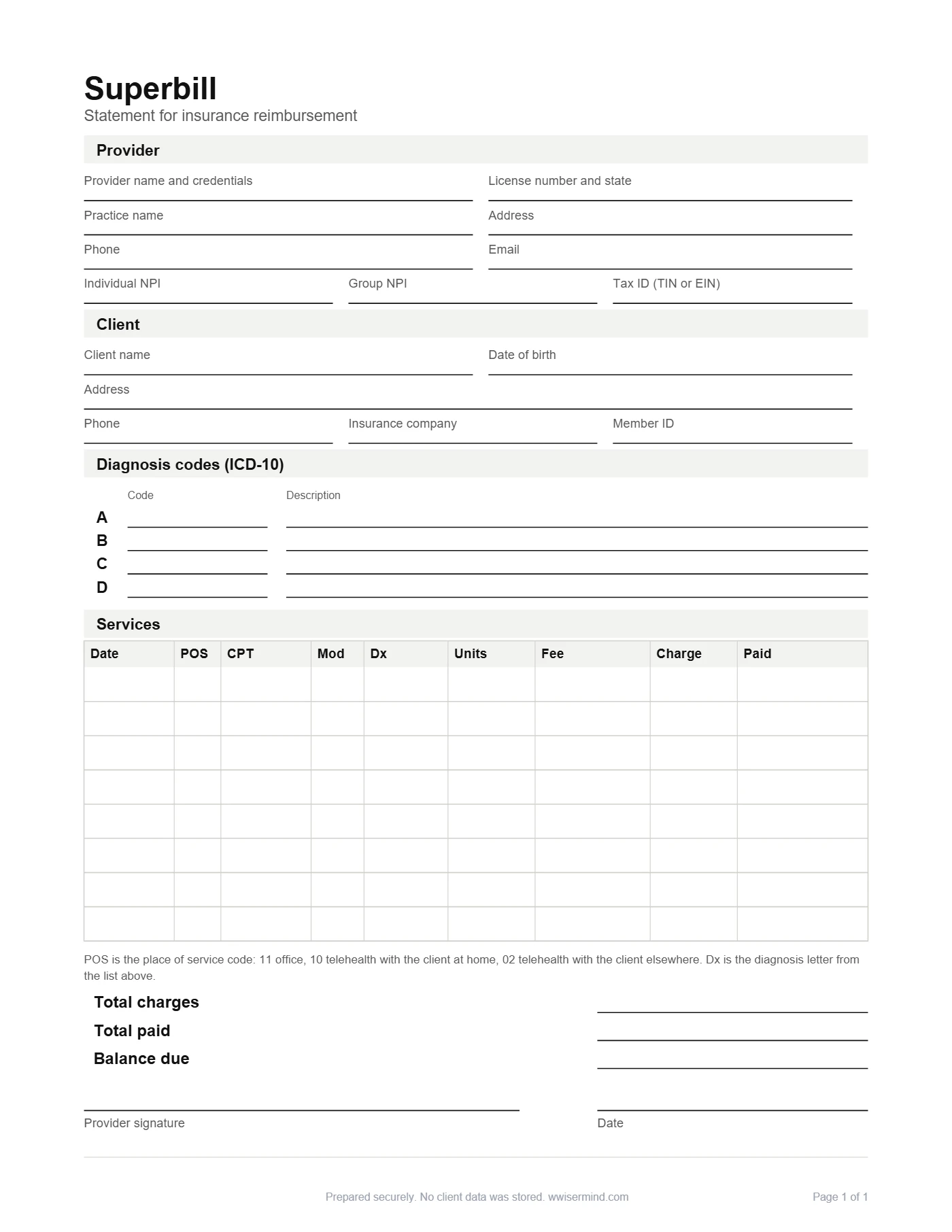
Download a blank superbill you can print
Same layout as the tool above, with lines to write on. Print as many as you need, one for each client, each month.
- US Letter, one page
- Room for 8 sessions
- Diagnosis, CPT and place of service columns
- Signature and date lines included
No email needed.
What is a superbill?
A superbill is an itemized statement of the therapy sessions you provided, with the codes an insurance company needs to process a claim. Your client sends it to their insurer to ask to be reimbursed for care they paid for themselves.
Superbills are mostly used by out-of-network clients. They pay you your full fee at the time of the session, then use the superbill to ask their plan to pay part of it back, if their plan covers out-of-network care. You do not bill the insurer yourself, and a superbill does not guarantee a refund.
Superbill example for a therapy practice
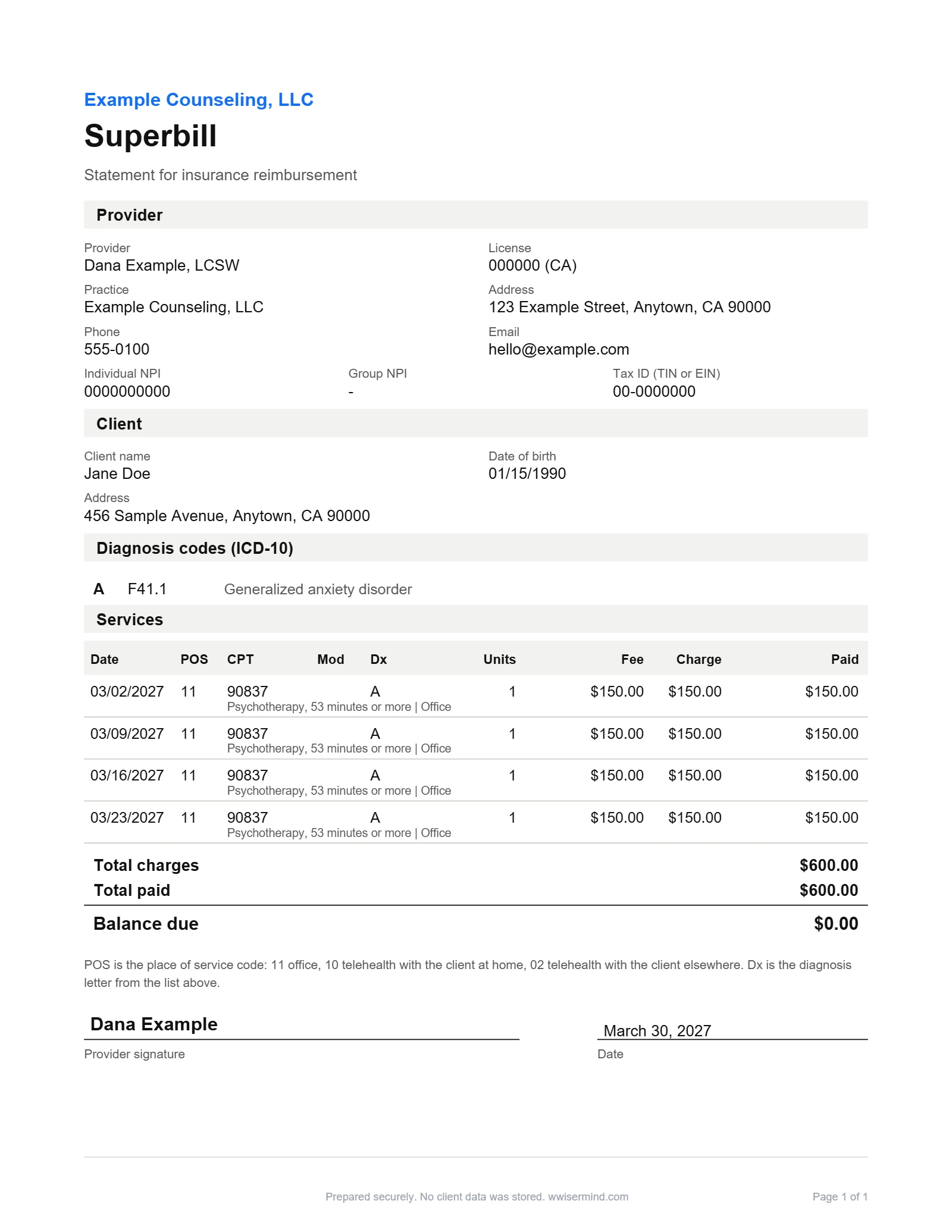
The details from the sample, as text you can read and copy. The practice and client are made up.
| Practice | Example Counseling, LLC (fictional practice) |
|---|---|
| Provider | Dana Example, LCSW |
| Individual NPI | 0000000000 |
| Tax ID | 00-0000000 |
| Client | Jane Doe (date of birth 01/15/1990) |
| Diagnosis A | F41.1 Generalized anxiety disorder |
| Date | POS | CPT | Dx | Units | Fee | Charge | Paid |
|---|---|---|---|---|---|---|---|
| 03/02/2027 | 11 | 90837 | A | 1 | $150.00 | $150.00 | $150.00 |
| 03/09/2027 | 11 | 90837 | A | 1 | $150.00 | $150.00 | $150.00 |
| 03/16/2027 | 11 | 90837 | A | 1 | $150.00 | $150.00 | $150.00 |
| 03/23/2027 | 11 | 90837 | A | 1 | $150.00 | $150.00 | $150.00 |
| Total charges | $600.00 |
|---|---|
| Total paid | $600.00 |
| Balance due | $0.00 |
What a superbill must include
- Provider name, credentials, license number and state
- Practice address and phone number
- Individual NPI, group NPI if you have one, and tax ID
- Client name, date of birth and address
- Insurance company and member ID, if you have them
- ICD-10 diagnosis codes
- Date of service for each session
- Place of service code
- CPT code for each session, and a modifier if one applies
- Diagnosis pointer for each session
- Units, fee and amount paid for each session
- Provider signature and date
How to fill in your superbill, step by step
- Add your practice details. Enter your practice name, provider name, credentials, license number and state, address, phone, email, NPI and tax ID. Tick the box if you want these remembered on this device.
- Add your client’s details. Enter your client’s name, date of birth and address. Add their insurance company and member ID if you have them.
- Add the diagnosis codes. Pick up to four ICD-10 codes from the list or type your own. They are labelled A to D.
- Add each session. For each session, enter the date, place of service, CPT code, diagnosis pointer, units, fee and amount paid. Use Add session for more rows, and the totals update as you go.
- Sign it. Type the provider’s name as the signature and check the date.
- Download the PDF and give it to your client. Download your superbill, check it over, and give your client a copy. Keep a copy with their record.
Common CPT codes for therapy superbills
These are the codes in the template’s list. The times follow the usual CPT time guide, and a plan can set its own rules, so check with the client’s plan if you are unsure which code fits a session.
| CPT code | What it covers | Typical length |
|---|---|---|
| 90791 | Psychiatric diagnostic evaluation (intake) | Varies |
| 90832 | Psychotherapy, 30 minutes | 16 to 37 minutes |
| 90834 | Psychotherapy, 45 minutes | 38 to 52 minutes |
| 90837 | Psychotherapy, 53 minutes or more | 53 minutes or more |
| 90846 | Family psychotherapy without the client present | About 50 minutes |
| 90847 | Family or couples psychotherapy with the client present | About 50 minutes |
| 90853 | Group psychotherapy | Varies |
| 90839 | Crisis psychotherapy, first hour | 30 to 74 minutes |
| 90840 | Crisis psychotherapy, each added 30 minutes | Each added 30 minutes |
Place of service codes for telehealth
The place of service (POS) code tells the insurer where the session took place. Use 11 for a session in your office. Use 10 for telehealth when your client is at home. Use 02 for telehealth when your client is somewhere else, such as at work.
Modifier 95 shows that a session was delivered by live audio and video. Some plans want it on telehealth claims, some do not, and some ask for a different modifier, so it is optional in the template.
Rules vary, so check with the client’s plan.
How your client submits a superbill
Your client usually has two ways to send it. They can sign in to their insurer’s member portal and upload the superbill with an out-of-network or reimbursement claim form, or they can print it and mail it with the claim form.
Some insurers need their own claim form attached to the superbill. Your client can ask the plan which form to use and where to send it.
How long a claim takes depends on the plan, so it is worth asking the plan for its timeline. Your client should also check their out-of-network benefits and any deductible before the first session, so the reimbursement does not come as a surprise.
Superbill vs Good Faith Estimate vs invoice
These three documents are often mixed up. A Good Faith Estimate comes before care and tells a self-pay client what to expect. An invoice asks for payment. A superbill comes after sessions and helps a client claim reimbursement.
| Superbill | Good Faith Estimate | Invoice | |
|---|---|---|---|
| When you give it | After sessions have happened | Before care starts | After sessions, or when payment is due |
| Who it is for | The client’s insurer, through the client | A self-pay or uninsured client | The client |
| What it shows | Dates, codes, diagnoses, fees and what was paid | The services and charges you expect | The amount owed |
| Main purpose | Helps the client claim reimbursement | Tells the client the expected cost | Asks for payment |
Common superbill mistakes
- Missing NPI. The insurer uses it to identify you, so add your individual NPI, and your group NPI if you bill under one.
- The wrong place of service for telehealth. Use 10 when your client is at home and 02 when they are somewhere else.
- No diagnosis pointer. Each session should point to the diagnosis it was for, or the claim may be rejected.
- Leaving it unsigned. Add the provider’s signature and the date.
- Missing license number. Add your license number and the state that issued it.
Frequently asked questions
Yes. The template is free to use and there is no sign-up. You enter your details, download the PDF and keep it. If you’d rather print it, there’s also a blank PDF you can fill in by hand.
No. The PDF is built in your browser, so your client’s name, date of birth and diagnosis codes stay on your device and we never receive them. If you tick the box, your practice details are saved on this device only, and you can clear them at any time.
Yes. One superbill can list up to 31 sessions, and the PDF adds pages as it needs them. A common approach is one superbill per month. If you have more sessions than that, make a second one.
No. A superbill is mainly for clients who see you out of network. If you are in network with a client’s plan, you usually bill the plan yourself and the client does not need a superbill.
No. Reimbursement depends on the client’s plan, their out-of-network benefits, any deductible and what the plan decides to cover. A superbill gives the insurer what it asks for, but it cannot promise a payment. It helps if your client asks the plan about out-of-network benefits first.
Yes. Choose the matching CPT code, such as 90847 for family or couples therapy with the client present or 90853 for group therapy, and list the session under the client who holds the insurance. For group therapy, make one superbill for each client. Check with the client’s plan, because rules vary.
No. This is a template and general information, not billing, coding or legal advice, and we are a marketing agency, not a billing service. Check codes and rules with a billing specialist, the client’s plan or your licensing board.
Clients compare therapists online before they book. See how yours scores.
Want a website that handles this for you?
Book a free 30-minute call and we will talk through what your practice needs.
Book a free 30-minute callMore free tools for your practice
Good Faith Estimate Template
Fill in the CMS model form and download a PDF for a self-pay client.
Make an estimateSliding Scale Fee Calculator
Set your tiers and download a fee schedule for your website.
Build a scaleEmail Signature for Therapists
Build a clean signature for your practice in two minutes.
Make a signatureWebsite Scorecard
Get a score out of 100 and your top five fixes.
Check my website