


PHP2Shell: What Therapists With WordPress Websites Need to Do Today
PHP released emergency fixes on October 21 for two critical flaws called PHP2Shell. Updating WordPress does not fix them. Here is how to check your PHP version in two minutes and what to do next.
Key takeaways
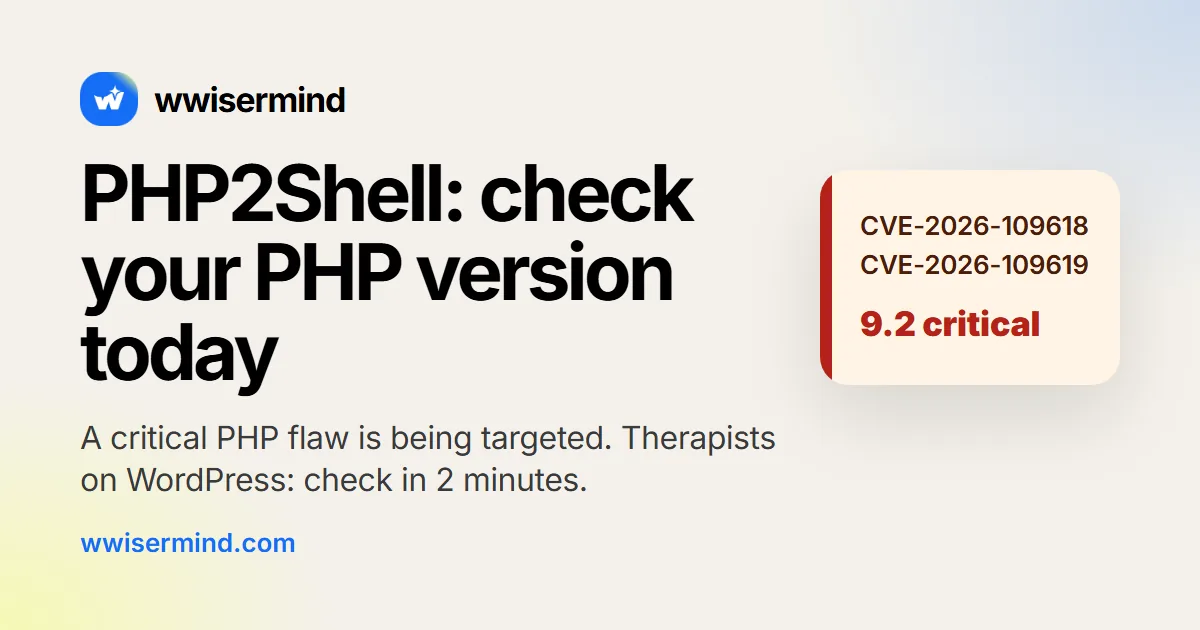
- On October 21, 2026, PHP released emergency fixes for two critical flaws, CVE-2026-109618 and CVE-2026-109619, called PHP2Shell. Both are rated 9.2 out of 10.
- They let an attacker with no login run code on the web server. Attack attempts were reported before the fix existed.
- Updating WordPress, plugins or themes does not fix this. Only the PHP version on your server does.
- Patched versions are 8.5.12, 8.4.27, 8.3.36 and 8.2.35 or higher. PHP 8.1, 8.0, 7.4 and older have no official fix.
- Check the full version number in Tools, then Site Health, then Info, then Server. It takes about two minutes.
Last updated: October 25, 2026, 12:46 PM (US Eastern). We update this page as new facts come in. See the Updates list below.
On October 21, 2026, PHP released emergency fixes for two critical flaws. They are known as PHP2Shell. They let an attacker with no login run code on the web server that hosts a website. Attack attempts were reported before the fix existed.
If your therapy practice website runs on WordPress, check your PHP version today. It takes about two minutes. If it is below a patched version, ask your host to update it or let us do it for you, free.
What happened
Here are the facts, with sources.
- October 21, 2026: PHP released emergency security fixes for CVE-2026-109618 and CVE-2026-109619, nicknamed PHP2Shell. Both are rated 9.2 out of 10 (critical, CVSS v4.0). CERT-EU's advisory (opens in a new tab) describes them, and CISA's alert (opens in a new tab) urges immediate patching.
- What they allow: an attacker with no login can run code on the web server.
- Before the fix: SecurityWeek (opens in a new tab) reported exploit attempts from about October 17, before the fixes were released.
- After the fix: The Hacker News (opens in a new tab) reported that Cloudflare saw attempts rise to millions by October 22.
What we do not know: the sources we checked report attempts, not confirmed successful attacks. CISA said when it published its alert that it had not observed successful exploitation. That could change. We will note it under Updates if it does.
Why updating WordPress won't fix it
PHP is the engine under a WordPress site. WordPress is the paint, the pages and the pictures. PHP builds each page when someone visits.
These flaws are in PHP itself. So updating WordPress, your plugins or your theme does not fix them. Only a patched PHP version does.
Your hosting company, not WordPress, decides which PHP version your site uses. Many hosts patched quickly. You still need to verify the full version number yourself, not assume.
Check your PHP version in 2 minutes
You do not need to be technical. You only need to log in to your site.
- Log in to your WordPress dashboard.
- Go to Tools, then Site Health.
- Open the Info tab and click Server.
- Find the line called PHP version. Look at the full number, for example 8.3.36.
You can also find it in your hosting account, usually under "PHP settings" or "PHP version". The name varies by host. Some hosts show only the family, such as 8.3. You need the full number, so use Site Health.
Compare your number with this table. It comes from the CISA alert (opens in a new tab), CERT-EU (opens in a new tab) and PHP's supported versions page (opens in a new tab).
| Your PHP version | Status |
|---|---|
| 8.5.12 or higher | Patched |
| 8.4.27 or higher | Patched |
| 8.3.36 or higher | Patched |
| 8.2.35 or higher | Patched for now. Support ends Dec 31, 2026, so plan an upgrade. |
| Any 8.2 to 8.5 version below those | Vulnerable. Patch today. |
| 8.1, 8.0, 7.4 or older | Highest risk. No official fix. Upgrade today. |
PHP 8.3 is not unsafe in general. PHP 8.3.36 and higher is patched. What matters is the full version number.
PHP 8.1, 8.0 and 7.4 reached end of life, so PHP has no official fixed release for them. Only people who build PHP from source can apply backports. For a normal WordPress site, the answer is to move to a supported, patched version.
How to fix it
Start with the easiest step.
- Ask your host. Ask them for your site's full PHP version and whether it is patched against CVE-2026-109618 and CVE-2026-109619. Ask them to update it if not.
- Switch to a patched version. In your hosting account, look for a PHP or "Software" setting. Pick the newest version your host offers that is at or above the patched numbers in the table.
- If you are on 8.1 or older, upgrade to 8.4 or 8.5. These are supported, and the newer the version, the longer it gets security fixes. Check that your theme and key plugins (forms, booking, page builder) say they support it. The plugin's page in the WordPress directory usually says so.
Before you change anything:
- Make a full backup of your files and your database, and check that you can restore it. A backup you have never tested is a hope, not a backup.
- Update WordPress, then your theme, then your plugins, so they work on the newer PHP.
- Delete plugins you do not use.
- If your host offers a staging copy of your site, try the change there first.
After the change:
- Open the homepage and a few inner pages.
- Send a real test message through your contact form.
- Try booking, and look at the site on your phone.
- If something breaks, switch the PHP version back and ask for help. Then ask for a patched version your site can run, because staying on a vulnerable one is the bigger risk.
Signs your site may already be compromised
Attack attempts were reported before the fix, so it is worth a quick look, especially if your host patched late. Look for:
- Admin users you do not recognize (Users, then All Users, then the Administrator filter).
- Visitors redirected to other websites, especially from Google or on a phone.
- Spam pages, links or text you did not add.
- Files changed recently that you did not change. Your host's file manager shows modified dates.
- Scripts in your pages that you do not recognize.
- A "This site may be hacked" or "Deceptive site" warning from Google. You can check your site at Google's Safe Browsing site status page.
- Contact form messages that stop arriving, or that arrive twice.
None of these proves your site was hit. Several have ordinary causes. But if you see one, change your admin passwords, tell your host, and get help before doing anything else. We check for these signs as part of the free emergency fix.
A note on HIPAA, carefully worded. If your forms collect or store client health information, keeping the software behind them patched is part of protecting it. This isn't legal advice, so check with your compliance advisor about what applies to your practice.
The December 31 deadline for PHP 8.2
This is a separate, slower issue. PHP's supported versions page (opens in a new tab) lists when each version stops getting security fixes.
| PHP version | Security support ends |
|---|---|
| 8.1 | Ended December 31, 2025 |
| 8.2 | December 31, 2026 |
| 8.3 | December 31, 2027 |
| 8.4 | December 31, 2028 |
| 8.5 | December 31, 2029 |
PHP 8.2.35 is patched against PHP2Shell, but it stops getting security fixes on December 31, 2026. If you are on 8.2, this is another reason to move to 8.4 or 8.5 now, while you are already making a change.
We'll fix it for you, free
We are fixing the first 10 therapist websites at no cost, until December 31. There is no contract, and you do not have to get on a sales call. We start within 1 business day, US time.
If you would like someone to keep it up to date afterward, look at our WordPress Care Plans. They are for WordPress sites only, and the free fix does not require one.
Updates
- October 25, 2026, 12:46 PM (US Eastern): Page rewritten around PHP2Shell. Sources checked: CISA, CERT-EU and php.net. Attempts reported from about October 17 and rising to millions by October 22. No confirmed successful attacks reported in the sources we checked.
Frequently asked questions
What is PHP2Shell?
It is the nickname for two critical flaws in PHP, CVE-2026-109618 and CVE-2026-109619, fixed on October 21, 2026. Both are rated 9.2 out of 10. They let an attacker with no login run code on the web server. PHP is the software that builds every WordPress page.
I updated WordPress. Am I safe?
No. Updating WordPress, your plugins or your theme does not fix PHP2Shell. The flaws are in PHP, so only a patched PHP version fixes them. Check the full version under Tools, Site Health, Info, then Server.
My host says they patched. Is that enough?
Probably, but verify it. Look up the full PHP version and confirm it is 8.5.12, 8.4.27, 8.3.36, 8.2.35 or higher. Also check that nothing suspicious happened before the patch, because attempts were reported from about October 17.
Is PHP 8.3 safe?
Yes, if it is 8.3.36 or higher. PHP 8.3 is a supported version, and 8.3.36 includes the fix. Versions 8.3.35 and lower are vulnerable. The full number is what matters.
Was my site already hacked?
The sources we checked report attack attempts, not confirmed successful attacks, so there is no reason to assume yours was hit. Look for the signs listed above, such as unknown admin users, redirects and spam you did not add. We check for them as part of the free emergency fix.
Can I update PHP myself?
Often, yes. Most hosting companies let you pick the PHP version from your account. The risk is that an older theme or plugin does not work with the newer version, so back up first, update WordPress, your theme and your plugins, and test your contact form afterward. If you would rather not, we can do it for you.
What about my PHP 8.1 or older site?
It has no official fix, so it is the highest risk. Upgrade it to PHP 8.4 or 8.5. If your theme or plugins are too old to run there, you may need them updated or replaced. We will tell you exactly what it would take.
What about December 31?
PHP 8.2 security support ends on December 31, 2026. That is a separate deadline from PHP2Shell, and another reason to move to PHP 8.4 or 8.5.
Is my site safe if it's on Squarespace or Wix?
You do not need to do anything about PHP. Those platforms run and update the underlying software for you. The same goes for hosted practice-management websites. This guide is for sites built on WordPress, which you or your host run. If you are weighing platforms, see our website design options and our comparison of WordPress, Squarespace and custom sites.
Related services
- Website Care Plans for Therapists: handled while you’re in session
- Website Hosting for Therapists: fast, secure, managed
Sources
- CISA: Critical vulnerabilities in PHP require immediate patching (opens in a new tab)
- CERT-EU security advisory 2026-018 (opens in a new tab)
- PHP: Supported Versions (opens in a new tab)
- SecurityWeek: PHP2Shell patches land as first exploitation attempts hit sensors (opens in a new tab)
- The Hacker News: PHP2Shell exploit attempts hit millions (opens in a new tab)